

AI images allow the creation of visually appealing images from simple textual descriptions.
A few techniques can be employed to create quality images by appropriate prompting and post-processing.
This guide provides tips for improving your AI image quality and creativity.
Unlock Superior Results
Start your journey with advanced tools like Google Nano Banana Pro, which excels at generating structured, detailed images and enabling precise one-shot edits or scene variations.
Its ability to handle prompts and references delivers photorealistic outputs with exceptional consistency, making it ideal for professional workflows.
Master Prompt Structure Basics
Good prompts have a structure.
They usually start with a subject, followed by details, and finish with styles. Instead of writing ‘eagle’, good prompts would say ‘majestic eagle’, followed by actions, locations, and moods.
Keep it in natural language.
Describe it for someone blindfolded.
For example, “forest path” changed to “winding dirt trail through ancient oaks at twilight, mist rising from mossy ground, soft moonlight filtering through the canopy.”
This process aids the AI in producing more coherent images.
Use short prompts for quick ideas but longer ones for more complex scenes, then run different variations to find the best fit.
Layer Specific Descriptive Details
Keeping the language concrete adds realistic detail, lighting, color, composition, and emotion, providing the right level of depth to the generated image.
“A warm golden hour glow casting long shadows across dew-kissed meadows” is not generic or flat at all.
Photographic effects like “shallow depth of field on the foreground blooms” or “using a wide-angle lens to capture the towering cliffs”, or colors like “vibrant teal skies and fiery orange sunsets” create coherence.
These additions help prevent misunderstandings from the AI when generating images, creating a polished product.
Use Negative Prompts Strategically
Negative prompts enumerate flaws to avoid: “no distortions, no extra fingers, no blurry edges.”
They stress desired traits, especially for realistic humans or detailed objects.
List positives first, then negatives (e.g., “avoid overexposure or watermark artifacts”), since those issues are often related.
Iterate the prompt to eliminate repeated problems without adding excessive complexity.
Leverage Reference Images for Accuracy
Uploading base images (for example, asking the AI to “preserve the dramatic chiaroscuro of this portrait while swapping attire for steampunk gear”) improves accuracy when generating consistent characters or products.
Image-to-image modes take a pre-existing image and create an idealized version of it.
Users control how much is retained from the original image.
They can be used for sketching concepts or maintaining continuity between images in a series.
Experiment with Style Modifiers
Apply styles such as “gothic ink illustration” or “surreal dreamscape with floating islands”.
Combine styles with modifiers, e.g., “watercolor textures over digital realism” for hybrid effects.
Weight terms with “::2”, such as “ethereal fog::2”, to make standard outputs into extraordinary images that can be used for any purpose.
Iterate with Targeted Adjustments
Treat generation as a refinement loop: generate a batch, then tweak elements (“brighten highlights”, “rotate viewpoint 15 degrees left”) until improved.
Reuse the seeds of winners for the predictable evolution of favorites.
Make iterative multi-step corrections, allowing the model to reuse resources without regenerating the answer from scratch, and document successful corrections.
Boost Quality Through Post-Processing
Refinements are usually applied to upscale the output to a higher resolution, fix issues with textures and artifacts.
AI upscalers are well-suited to sharpening, correcting colors, and adding missing elements (such as hands or cloth).
Following contrast adjustments, selectively adjusting shadows, and smoothing transitions brings the raw generations to the level of finalized gallery-ready work.
Upscaling Techniques
Use gentle upscalers for subtle detail restoration, aggressive ones for more creative restoration.
For the best results, combine upscaling and denoising.
It is useful for large prints and high-DPI displays.
Optimize Composition and Ratios
Choose your ratio: 16:9 as cinematic banners, 9:16 as vertical stories, square as icons.
Use compositional guidelines like “rule of thirds with subject offset” for visual interest.
Foreground objects interact with layered backgrounds to direct the eye.
Framing should be tested early to avoid unintentional crops and to create flexible, appetizing shots.
Combine Techniques for Pro-Level Outputs
Tools: prompt for base scene, style prompt, inpaint for inconsistencies, outpaint for additions.
Create character sheets to maintain series consistency.
Change environments but keep features like eye color and hairstyle.
This can create a uniform look that is useful for marketing campaigns, storyboards, or personal art.
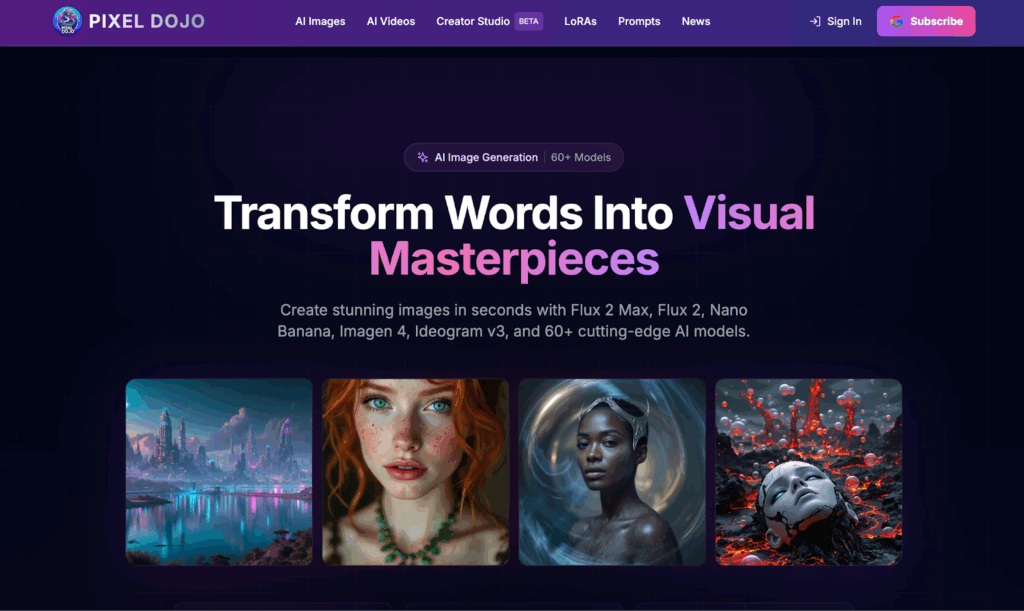
Explore Pixel Dojo for Design Inspiration
Pixel Dojo provides creators with UI patterns and visual references to inform each series of AI-generated images, to inspire generations of modern visual design.
Refine for Photorealism and Text Integration
Using real-world details for realism: stack descriptors: “detailed fur texture, natural subsurface scattering, volumetric god rays”.
Text overlay: “bold sans-serif overlay reading ‘Explore Beyond’ integrated into rocky cliff face”.
Test multi-element prompts carefully and prioritize spatial logic (eg, “figure centered, text arched above”).
Post-fix, rendering issues are handled smoothly.
Build a Sustainable Creative Workflow
Note prompts, ratios, and styles used in a journal for reproducibility.
Join social media communities in order to learn and share techniques, and stay updated.
Establish daily themed challenges: portraits one week, landscapes another, and after some time, the patterns will become internalized, and the iterations will reduce.
These tips help anyone from beginner to experienced professiona,l create stunning images with AI Art.
With enough practice, these tips can turn experimentation into mastery.